Just press play.AniVault does the rest.
Whether you're watching locally or streaming online, AniVault auto-tracks every episode, syncs your list, and builds beautiful stats — while you enjoy your anime, not manage it.
No account required — guest mode readyWorks with VLC, MPV, Plex, and browser tabs via extensionChrome extension
Detect
Parses filenames and streaming sites in real-time. No regex config needed.
Sync
Push progress to AniList instantly or stay fully offline in guest mode.
Flex
Discord Rich Presence shows title, episode, and binge streaks.

Jujutsu Kaisen — Episode 28
Synced to AniList • Discord Presence on
Built for binge-watchers
Everything updates itself
Local-first tracking with pro-grade automation. Flip between Free and Pro to see what ships today.
Auto-tracking engine
Watches VLC, MPV, Plex, and window titles in real time. No manual episode typing, ever.
Chrome extension detection
Detects Crunchyroll, Netflix, Zoro, and more. Episodes are pushed to the desktop app instantly.
AniList sync or offline
Stay offline in guest mode or connect AniList to sync automatically.
Library & queue
Browse, filter, and prioritize what to watch with a neon glass UI.
Privacy-first
No cloud lock-in. Data stays on disk unless you connect AniList.
Session stats
Track runtime, streaks, and genre balance. Wrapped-style recaps are built-in.
Auto Organizer
One click cleans filenames and folders: "[SubsPlease] JJK - 05.mkv" → "D:/Anime/JJK/S01/E05.mkv".
Mood-based picks
Pick a vibe — hype, cozy, emotional — and AniVault suggests the next title.
Discord Presence Pro
Broadcast what you watch with episode, ETA, and binge streak data.
Advanced insights
Contribution graphs, heatmaps, and per-season stats for completionists.
Premium themes
Cyberpunk glass, midnight synth, vaporwave gradients, and custom accent control.
Trusted telemetry
Optional, anonymized error reporting via Sentry toggle. Off by default.
How AniVault Works
Three steps: install, connect extension/AniList, and watch. The rest is fully automated.
Install
Install AniVault for Windows. It watches VLC/MPV window titles locally — nothing leaves your PC.
Connect
Pair the Chrome extension and optionally connect AniList. Guest mode works with no account or telemetry.
Watch
Hit play. AniVault detects episodes from local files and streaming tabs and syncs progress instantly.
Sync safely
Lemon Squeezy handles checkout. AniVault stores licenses locally and never sees your card.
Pricing
Choose your flow
Stay on Free forever or upgrade to Pro for power features. Lemon Squeezy checkout opens in a secure tab.
Free
Starter
Everything you need to ditch manual updates.
Installer includes the Chrome extension helper. You can stay in guest mode forever.
Pro
Creator
For collectors and binge pros.
After purchase, copy the license key from your Lemon Squeezy receipt and paste it in AniVault desktop: Settings → License. Need help? anivault.one@gmail.com.
Hosted checkout handled by Lemon Squeezy. No payment data touches AniVault servers.
Screenshots
See AniVault in action
Desktop + extension working together. Swap these with the latest captures before submitting to Lemon Squeezy for verification.
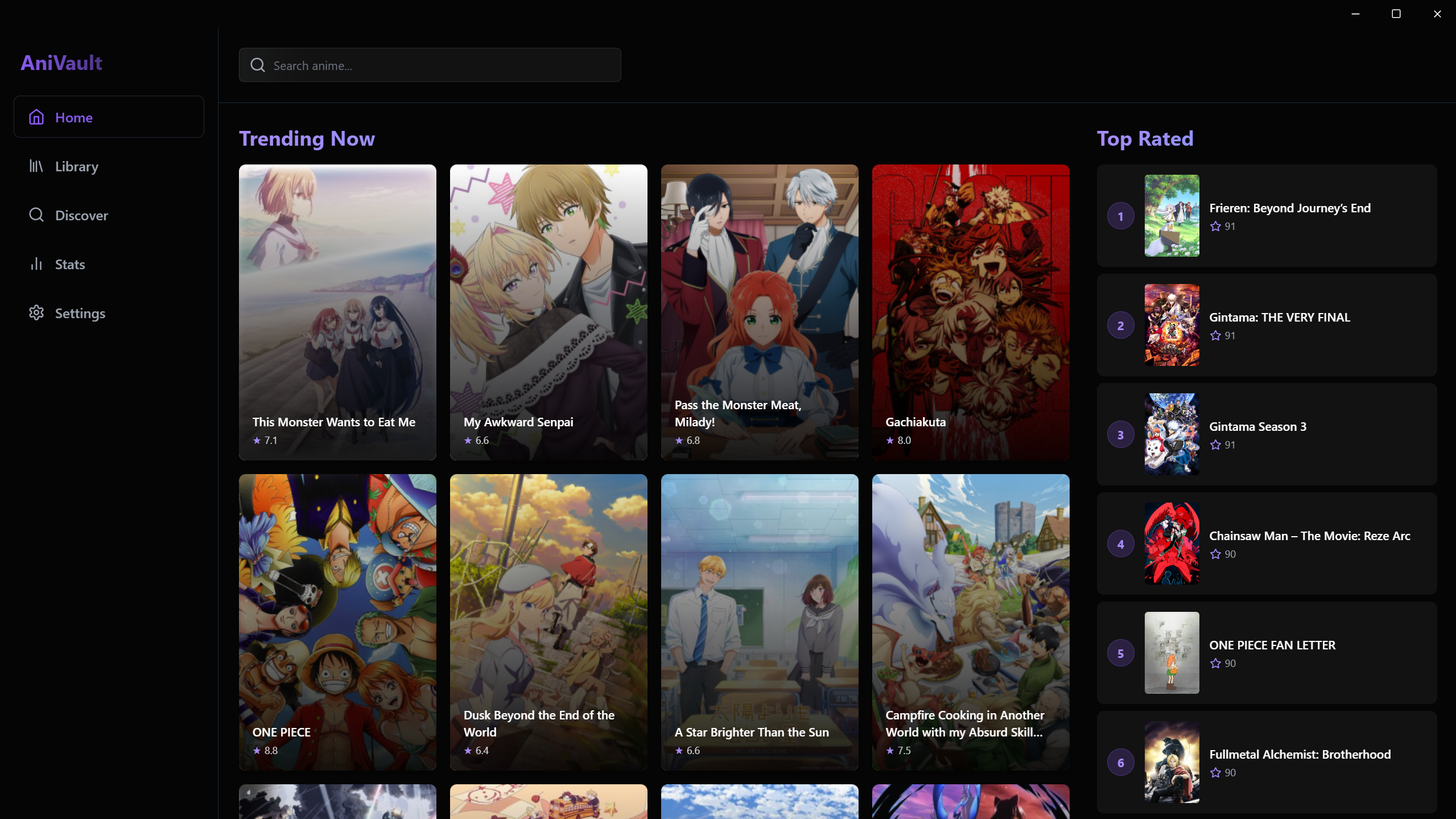
Desktop Dashboard
Track local files, Discord presence, and stats at a glance.
Privacy by default
Runs locally. No tracking scripts. Sync to AniList only if you turn it on.
Verified checkout
Lemon Squeezy handles payments. Hosted checkout with data-product-id for auditing.
Accessible UI
Keyboard-friendly buttons, labeled controls, and 4.5+ contrast for key text.
Stop manually updating episodes. Let AniVault do it for you.
Download the Windows app, add the Chrome extension, and connect AniList in under five minutes.
No cloud lock-in. Guest mode available. Works with VLC, MPV, local files, and major streaming sites via the extension.